Fixing INP issues
Earlier this month Google pushed a new Core Web Vitals metric live. It’s called INP or Interaction to Next Paint.
It’s a measure of how responsive your site is to user input and replaces the previous interactivity metric, FID (First Input Delay)
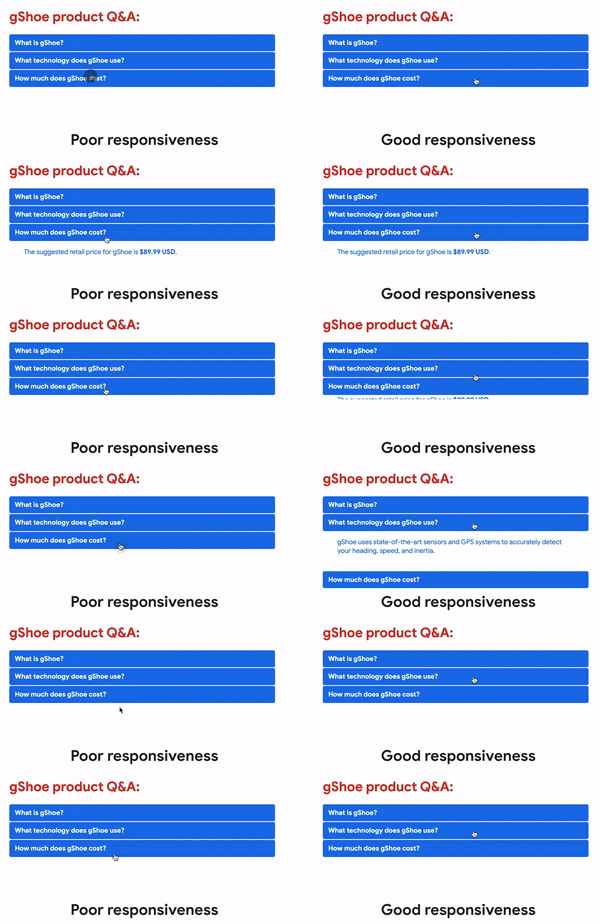
If your site is slow to respond to user input, for example the menu takes a long time to respond or something takes a long time to add to cart, then your INP metrics will be poor.
You’ve likely experienced this poor responsiveness on various sites around the web where you load up a site and you get frustrated clicking on something that doesn’t respond like the example GIF below:
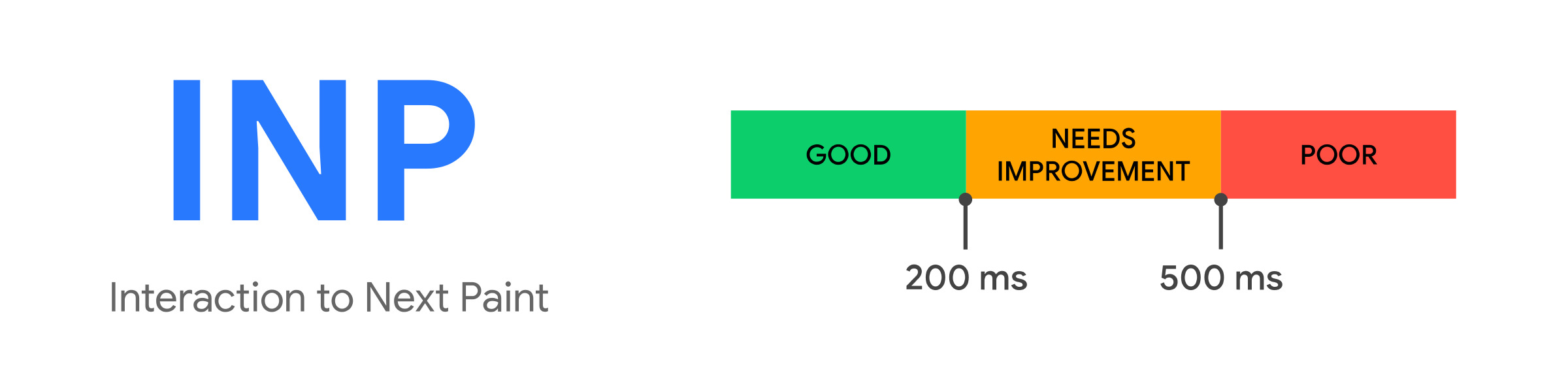
In terms of goals for this metric, we ideally want 75% or more of ours users with an INP of under 200 milliseconds.
How to Check Your INP Metrics
To see how you’re doing site wide with the INP metric, head to this page (https://www.wpspeedfix.com/core-web-vitals-report/) and generate a Core Web Vitals report. There’s no optin required and the report takes about 30 seconds to generate. You’ll need to have a minimum of 50-100 visits a day to generate enough data for the report.
If the report doesn’t generate data then it’s likely you’re under the traffic threshold. In that case, checking in Google Search Console is the next best place to look.
If you’re on one of our hosting and maintenance plans our team will be checking in on this in the next month and will be in touch if there’s any issues.
If you’re not on a maintenance plan our team can still help, just hit reply to this email with your web address and we’ll take a look.
That’s it for this email, hit reply if you have any questions or need more info on the items above.
First sent to the WP Speed Fix email list on 28 March 2024. Read the original on Bento Subscribe to the list